If you want your website to rank on Google and attract the correct audience, understanding Google Search Console is a must. It demonstrates how Google perceives your website, which keywords drive traffic, and what mistakes prevent your pages from ranking.
At Codei5 Academy, Google Search Console is taught with real-time use cases, not just theory and this blog follows the same practical approach.
While Google Search Console focuses on organic performance, paid advertising plays an equally important role in website growth. If you are new to paid campaigns, our guide, Google Ads for Beginners in 2025, explains how to run effective ads and complement your organic SEO efforts.
Table of Contents:
- What Is Google Search Console & Why It Matters for SEO
- How to Set Up Google Search Console (Step-by-Step)
- Understanding the GSC Performance Report (With Real Use Case)
- Finding & Fixing Indexing Issues Using Pages Report
- How to Use the URL Inspection Tool Effectively
- Improving CTR Using Queries & Pages Data
- Core Web Vitals & Page Experience Explained Simply
- Best Practices & Common Mistakes in Google Search Console
- FAQs
1. What Is Google Search Console & Why Does It Matter for SEO?
Google Search Console is a free Google service that allows website owners to see how their site performs in search results.
Why Google Search Console is important:
- Shows which keywords generate impressions and clicks.
- Helps identify indexing and crawling issues.
- Detects technical SEO concerns.
- Improves rankings with genuine Google data.
For beginners using Google Search Console, this tool serves as a website health report. As part of the digital marketing course in Coimbatore, students at Codei5 Academy are taught how to read and act on this data.
2. How to Set Up Google Search Console (Step-by-Step)
Setting up Google Search Console is simple and suitable for beginners.
Steps to follow:
- Visit Google Search Console
- Add your website property
Choose:
Domain Property – Tracks all URLs (recommended)
URL Prefix – Easier for beginners
Verify ownership using:
- DNS record
- HTML meta tag
- Google Analytics
Once verified, Google begins gathering performance and indexing statistics. Learning how to use Google Search Console begins with proper setup, which is focused on Codei5 Academy.
Setting up Search Console correctly is the first step, but real SEO improvements come from applying data insights regularly. A detailed walkthrough on implementation is covered in How to Use Google Search Console to Improve SEO.
3. Understanding the GSC Performance Report (With Real Use Case)
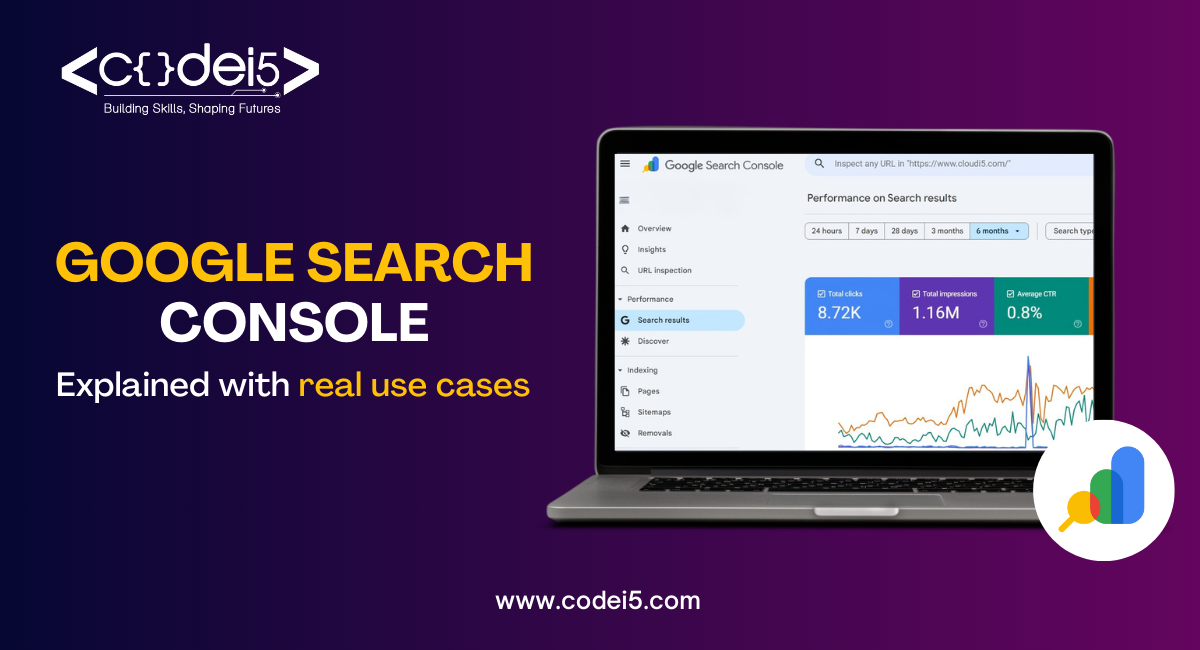
The GSC performance report shows how your website performs in Google Search.
Key metrics explained:
- Clicks – Number of users who visited your site
- Impressions – How often your site appeared
- CTR (Click Through Rate) – Clicks ÷ Impressions
- Average Position – Keyword ranking position
Real use case:
- A blog page receives many impressions but few clicks.
- The title and description are not attractive.
- Optimized title with purpose keywords
- CTR improves, ranking increases.
This study covers one of the most effective Google Search Console tools taught practically at Codei5 Academy.
The performance report gives raw data such as clicks and impressions, but turning this data into actionable insights requires deeper analysis. This process is explained in detail in Understanding the Power of Google Search Console Insights.
4. Finding & Fixing Indexing Issues Using Pages Report:
The Pages report explains exactly why your page isn’t shown on Google.
Common indexing issues:
- Crawled – currently not indexed
- Discovered – currently not indexed
- Excluded by the noindex tag
- Duplicate without canonical
Real use case:
- The blog was published, but not visible on Google
- The Pages report indicates a “noindex” issue.
- Tag deleted and page resubmitted.
- The page was successfully indexed.
Understanding this report is important for any digital marketing course in Coimbatore.
5. How to Use the URL Inspection Tool Effectively
The URL Inspection tool verifies the condition of a specific page.
What you can do:
- Check if the page is indexed
- See the last crawl date
- Test live URL
- Request indexing after updates
Real use case:
- SEO changes were performed to a landing page.
- The URL was inspected, and indexing was requested.
- Google recrawls the page quickly.
When utilized appropriately, this tool speeds up SEO results.
6. Improving CTR Using Queries & Pages Data:
Google Search Console allows you to improve traffic without creating fresh content.
How to improve CTR:
Filter keywords ranked between positions 5 and 15.
Identify high impression keywords.
Improve:
- Page title
- Meta description
- Content intent match
Real use case:
- Keyword ranking at position 8.
- The title was redone using action words.
- CTR increases
- Keyword climbs to the top five.
This method is presented in depth at Codei5 Academy, including live examples.
7. Core Web Vitals & Page Experience Explained Simply
Google ranks websites that offer a pleasant user experience.
Core Web Vitals basic:
- LCP – Page loading speed
- CLS – Visual stability
- INP – User interaction speed
Real use case:
- The mobile page is considered poor.
- Images compressed and layout fixed.
- Page experience scores improve.
- SEO performance improves.
This section explains how beginners can connect technical SEO with UX.
8. Best Practices & Common Mistakes in Google Search Console:
Best practices:
- Review the performance report weekly.
- Correct indexing mistakes instantly.
- Monitor keyword position changes.
- Monitor mobile usability.
Common mistakes:
- Ignoring coverage issues.
- Expect instant rankings.
- Delete pages that are unnecessary
- Not utilizing filters appropriately.
Students at Codei5 Academy avoid these errors by gaining hands-on experience in the digital marketing course in Coimbatore.
A common mistake beginners make is relying on a single data source. While Google Search Console is essential for SEO, combining it with insights from Top Social Media Analytics Tools to Enhance Your Insights helps marketers understand the complete user journey.
Conclusion:
Google Search Console is not optional, it is necessary for SEO success. Mastering Google Search Console for Beginners improves rankings, traffic, and website health. Learning how to use Google Search Console can make a significant difference in your SEO job. If you want hands-on experience with real websites, Codei5 Academy’s digital marketing course in Coimbatore offers industry-specific learning.
FAQs:
1. Is Google Search Console free?
Yes, it is a free tool offered by Google.
2. How often should I check Google Search Console?
At least once every week for monitoring and fixing.
3. Why is my page indexed but not ranking?
Rankings are determined by competition, content quality, and user signals.
4. Can beginners use Google Search Console?
Yes, it is suitable for beginners and pros.
5. Is Google Search Console taught in digital marketing courses?
Yes, the real-time GSC usage is part of the training.