Table of Contents:
- Introduction
- Figma – The Best Free UI/UX Design Tool for Beginners
- Canva – Create Stunning Web Graphics Without Any Design Experience
- Visual Studio Code (VS Code) – The #1 Free Code Editor for Web Designers
- Coolors – Generate Beautiful Color Palettes for Your Website in Seconds
- Google Fonts – Access 1,400+ Free Fonts to Make Your Website Stand Out
- Unsplash – Download High-Quality Free Images for Your Web Design Projects
- Chrome DevTools – Inspect, Debug & Improve Any Website for Free
- Responsively App – Test How Your Website Looks on Every Device for Free
- Adobe Color – Create Professional Color Schemes for Free Like a Pro Designer
- Webflow (Free Plan) – Build & Launch Real Websites Without Writing Code
- Conclusion
- FAQs
Introduction:
Starting your web design journey can feel overwhelming, especially when you think you need expensive software to get going. The truth? You don’t.
There are dozens of powerful free web design tools available today that professionals actually use in their day-to-day work. Whether you want to design layouts, pick colors, write code, or test your website on mobile, there’s a free tool for every step of the process.
At Codei5 Academy, we work with hundreds of beginners who ask us the same question: “Where do I even start?” The answer is always the same: start with the right tools, and the rest becomes much easier.
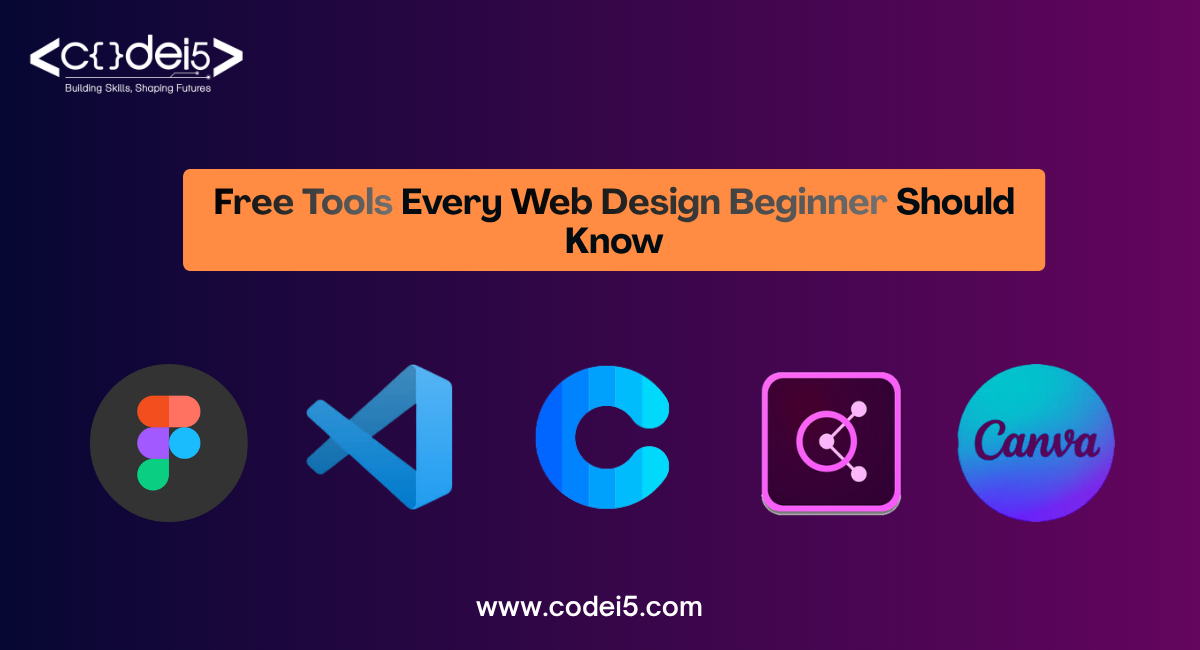
This blog gives you a complete web design tools list, 10 free tools that every beginner should have in their toolkit right from day one.
1. Figma – The Best Free UI/UX Design Tool for Beginners:
Figma is hands-down the most popular free UI design tool in the world right now, and for good reason.
- What it is: A browser-based design tool for creating website layouts, app screens, and prototypes
- Why beginners love it: No installation needed, works right in your browser
- Key features: Drag-and-drop interface, easy to learn in a weekend
- Real-time collaboration (like Google Docs, but for design)
- Pre-built templates and UI kits for faster designing
- Free plan supports up to 3 projects
- Best used for: Wireframing, UI design, clickable prototypes
- figma.com
Codei5 Academy Tip: Figma is the first tool we teach in our design modules; it’s that essential.
2. Canva – Create Stunning Web Graphics Without Any Design Experience:
Not everyone starts as a designer – and that’s perfectly fine. Canva makes graphic creation simple for absolute beginners.
- What it is: A drag-and-drop graphic design platform
- Why beginners love it: Thousands of ready-to-use templates for banners, thumbnails, social posts, and more
- Key features:250,000+ free templates
- Simple text, image, and element editing
- Export in PNG, JPG, or PDF formats
- Web-based – no download needed
- Best used for: Web banners, hero images, social media graphics, presentations
3. Visual Studio Code – Free Code Editor for Web Designers:
If you’re learning HTML, CSS, or JavaScript, VS Code is the tool you’ll live in every day. It’s one of the most downloaded free web design software tools in the world.
- What it is: A lightweight but powerful source code editor by Microsoft
- Key features: Syntax highlighting for HTML, CSS, JS
- Extensions like Live Server (preview your site instantly)
- Built-in Git support
- Completely free with no limits
- Best used for: Writing and editing all your front-end code
4. Coolors – Generate Beautiful Color Palettes in Seconds:
Color is one of the most powerful elements in web design, and Coolors makes color selection effortless.
- What it is: A super-fast color scheme generator
- Key features: Hit the spacebar to generate new palette combinations
- Lock colors you like and regenerate the rest
- Export hex codes directly
- Browse thousands of trending palettes
- Best used for: Choosing website color schemes before you start designing
5. Google Fonts – 1,400+ Free Fonts at Your Fingertips:
Typography can make or break a website’s look. Google Fonts is the go-to resource in every web design tool list for a reason.
- What it is: A free font library by Google with 1,400+ typefaces
- Key features: Completely free for personal and commercial use
- Easy to embed directly into websites with one line of CSS
- Filter fonts by style, weight, and language
- Best used for: Choosing heading and body fonts for your website
6. Unsplash – High-Quality Free Images for Your Projects:
Great websites need great visuals. Unsplash solves the image problem for every beginner.
- What it is: A library of over 3 million high-resolution, royalty-free photos
- Key features: Completely free, no attribution required
- Searchable by topic, mood, and color
- Direct integration with Figma and Canva
- Best used for: Hero images, backgrounds, blog thumbnails, and mockups
7. Chrome DevTools – Inspect & Debug Any Website for Free:
Every web designer needs to understand how websites work under the hood. Chrome DevTools is built right into your browser.
- What it is: A set of web developer tools built directly into Google Chrome
- Key features: Inspect any website’s HTML and CSS live
- Edit styles in real-time and see changes instantly
- Check page loading speed and performance
- Debug JavaScript errors
- Best used for: Learning from existing websites and fixing layout issues
8. Responsively App – Test Every Screen Size at Once:
Your website must look good on mobiles, tablets, and desktops. Responsively App lets you see all of them at once.
- What it is: A free browser for testing responsive web design
- Key features: Preview your site on 30+ screen sizes simultaneously
- Synced scrolling and interactions across all devices
- Completely free and open-source
- Best used for: Testing mobile responsiveness before launching your site
9. Adobe Color – Build Professional Color Schemes Like a Pro:
Adobe Color takes color selection a step further by using actual color theory to help you build harmonious palettes.
- What it is: A free color wheel and palette creation tool by Adobe
- Key features: Choose from color rules: complementary, analogous, triadic, and more
- Extract color themes from any uploaded image
- Save palettes directly to your Adobe account
- Best used for: Building brand color systems and mood boards
10. Webflow (Free Plan) – Build Real Websites Without Writing Code:
Webflow bridges the gap between design and development, perfect for beginners who want to see their designs go live fast.
- What it is: A no-code/low-code website builder with professional-grade output
- Key features: Visual drag-and-drop builder that generates clean code
- Free plan includes 2 live projects
- Built-in CMS, animations, and interactions
- Responsive design controls built in
- Best used for: Building and publishing portfolio websites and landing pages.
FAQs:
Q1. Are all these web design tools really free?
Yes, All 10 tools listed here have free plans that are more than enough for beginners to get started and build real projects.
Q2. Which tool should a complete beginner start with first?
Start with Figma for design and VS Code for coding, these two alone will take you very far as a beginner.
Q3. Do I need to install all these tools?
No, Tools like Figma, Canva, Coolors, Google Fonts, and Adobe Color are all browser-based, no installation required.
Q4. Is the Best Web Designing Course in Coimbatore suitable for beginners with zero experience?
Absolutely. Codei5 Academy offers beginner-friendly web design courses in Coimbatore that start from the very basics and take you to job-ready skills.
Q5. Can I get a job using only free web design tools?
Yes, Many professional designers use these exact free tools daily. Your skills matter more than the software you use, and Codei5 Academy helps you build exactly that.
Conclusion:
These 10 free web design tools give every beginner everything they need to design, code, and launch websites, without spending a single rupee. Start with Figma for design, VS Code for coding, and Chrome DevTools for testing. Master these tools one by one, and you’ll build real confidence fast. At Codei5 Academy, we guide students through each of these tools with hands-on practice. If you’re looking for the Best Web Designing Course in Coimbatore, Codei5 Academy is the perfect place to begin.
If you’re looking to master these tools professionally, our Web Designing Course with Placement for Freshers in Coimbatore is the perfect place to start.